Building smarter businesses through AI & automation.
I connect business systems, automate repetitive work, and build practical AI-assisted applications. Bridging technology and people, in English and Japanese.
THE PRACTICAL TOOLKITn8nMakeZapierPythonFastAPIDocker
01 / SELECTED WORK
Built to solve. Ready to show.
A deployed business application and focused automation projects. Real work, with clear evidence and honest boundaries.
FLAGSHIP PROJECT v1.0.0
AI Business Automation Platform / ABAP
One protected workspace for customer relationships, invoices, employees, and repeatable business workflows. A real, deployed application built with AI-assisted development.
Business records and repeatable processes become difficult to manage across disconnected tools.
Approach
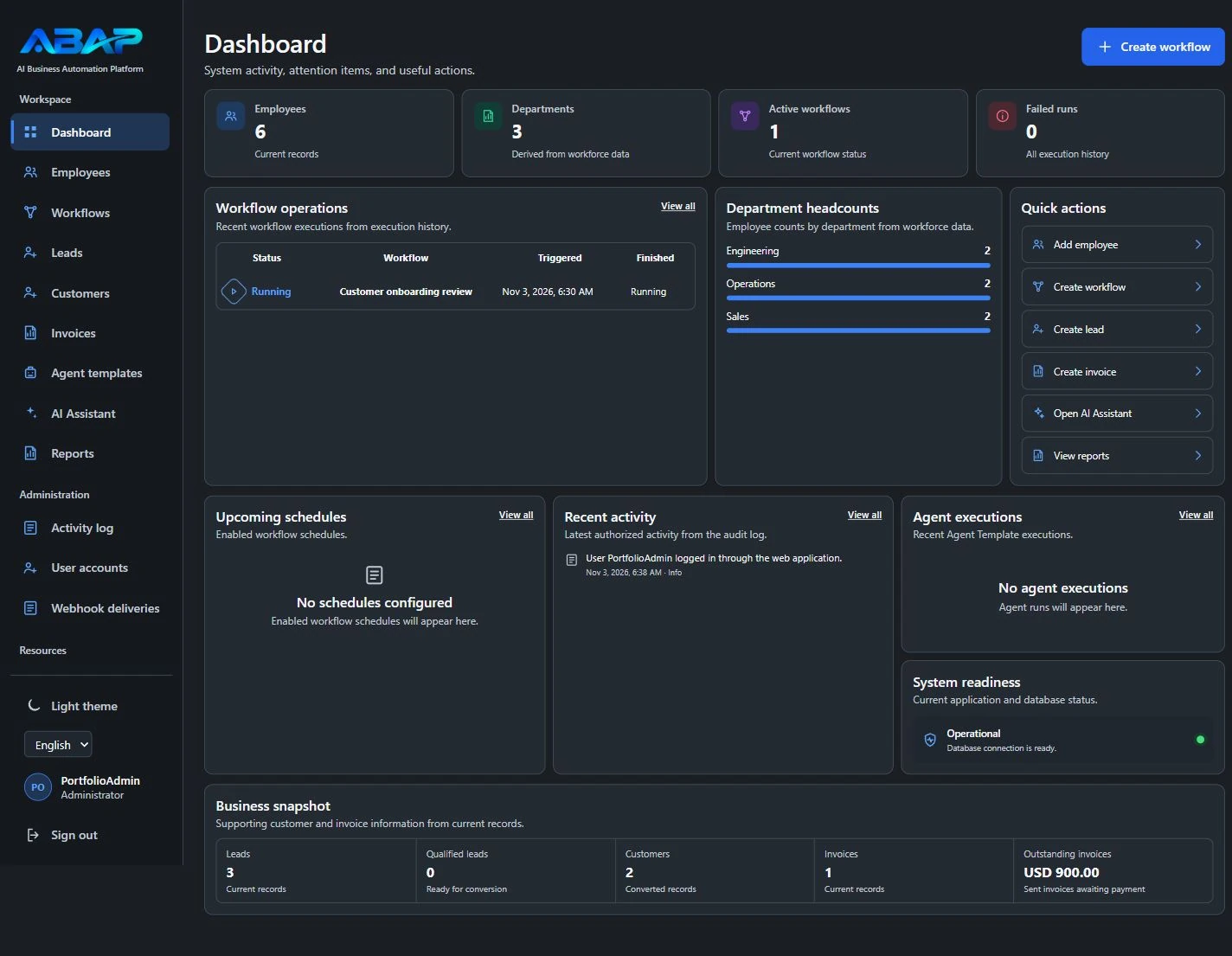
CRM, employee management, invoicing, protected documents, workflow scheduling and execution tracking in one authenticated application.
Evidence & scope
A deployed application supported by synthetic-data demonstrations, isolated tests of signed n8n integration, and documented backup and recovery checks. This case study presents application capabilities and test evidence rather than commercial client results.
My role
I built ABAP using AI-assisted development, combining business requirements, application features, and workflow integration in one project. My work included configuring and testing the application, preparing synthetic-data demonstrations, and documenting deployment, signed n8n integration tests, and backup and recovery procedures.
Authenticated browser→FastAPI + business services→PostgreSQLBackground worker→Signed webhooks→n8n
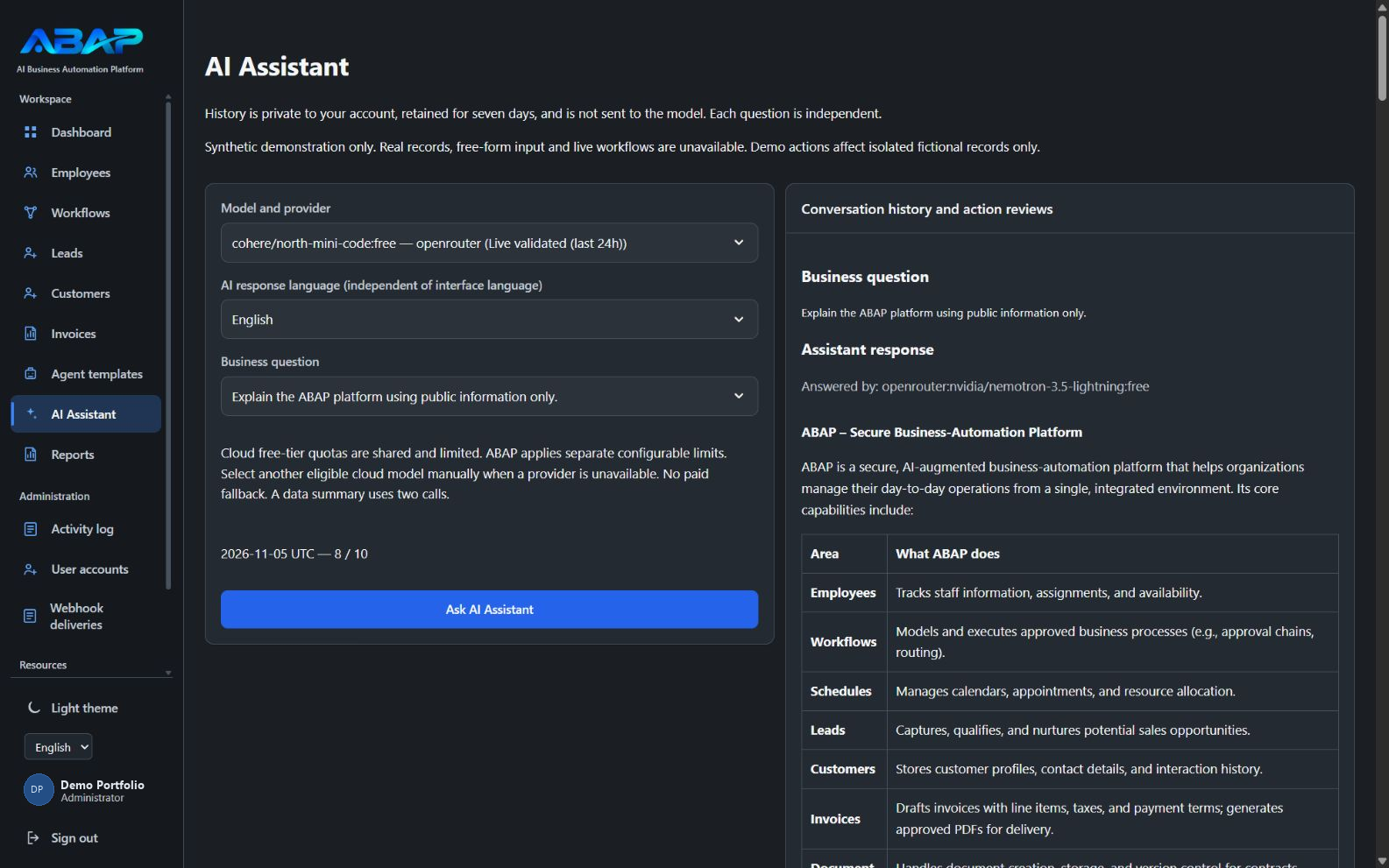
Architecture overview; it does not imply an active production n8n connection. The Advanced AI Assistant offers selectable models and safe synthetic demonstrations. It does not provide unrestricted free-form chat, live business-record access, or AI-initiated business actions.
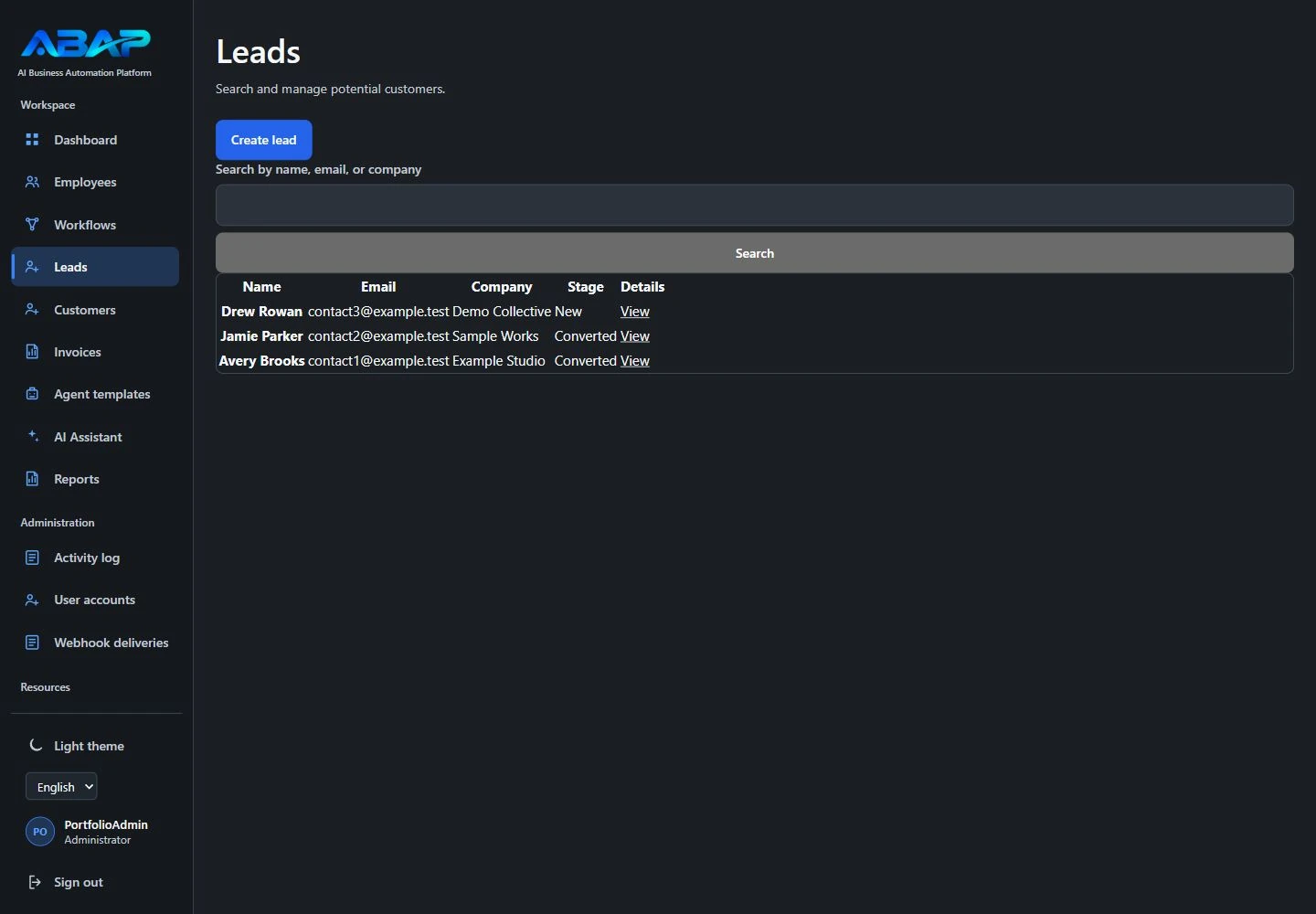
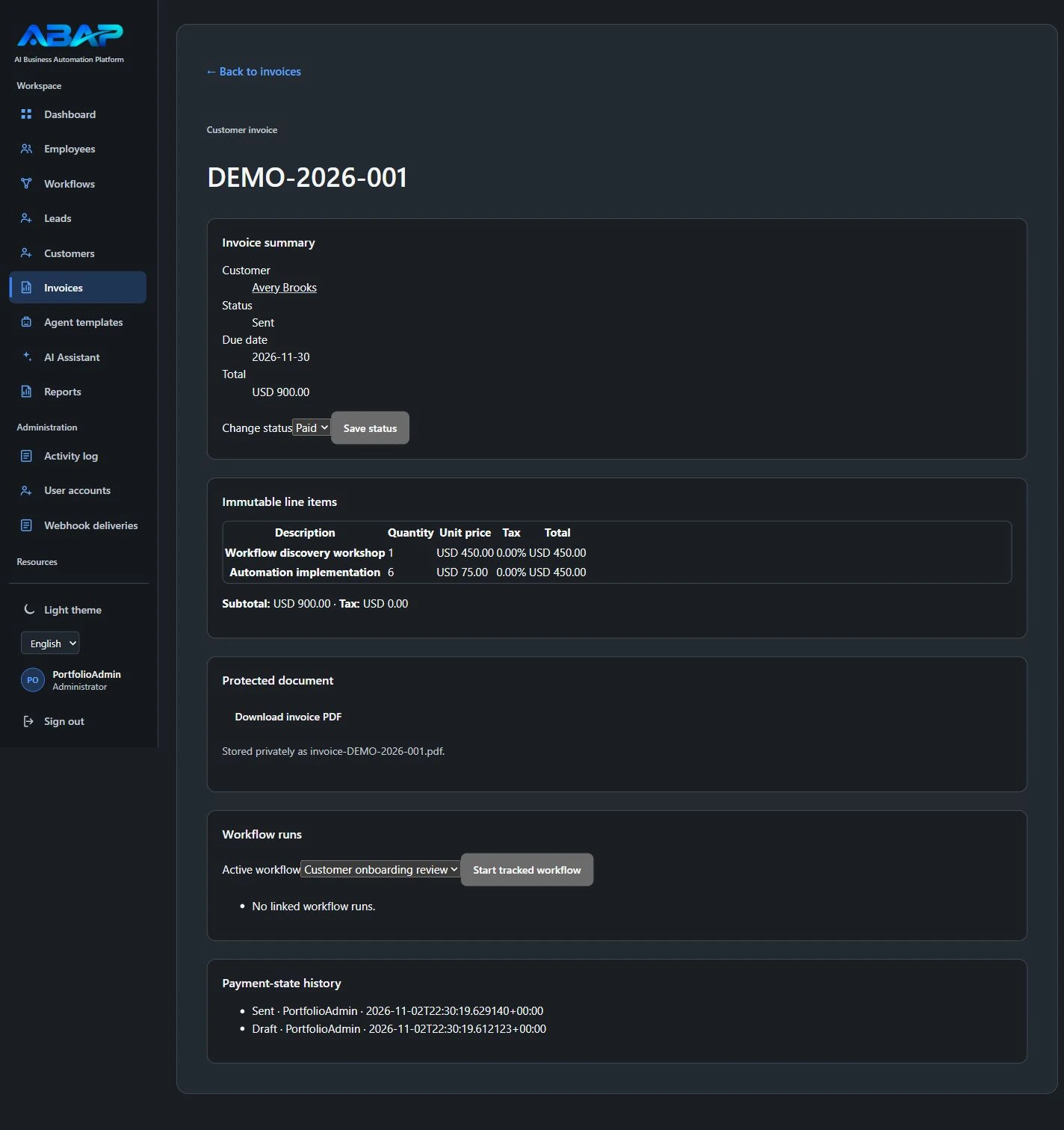
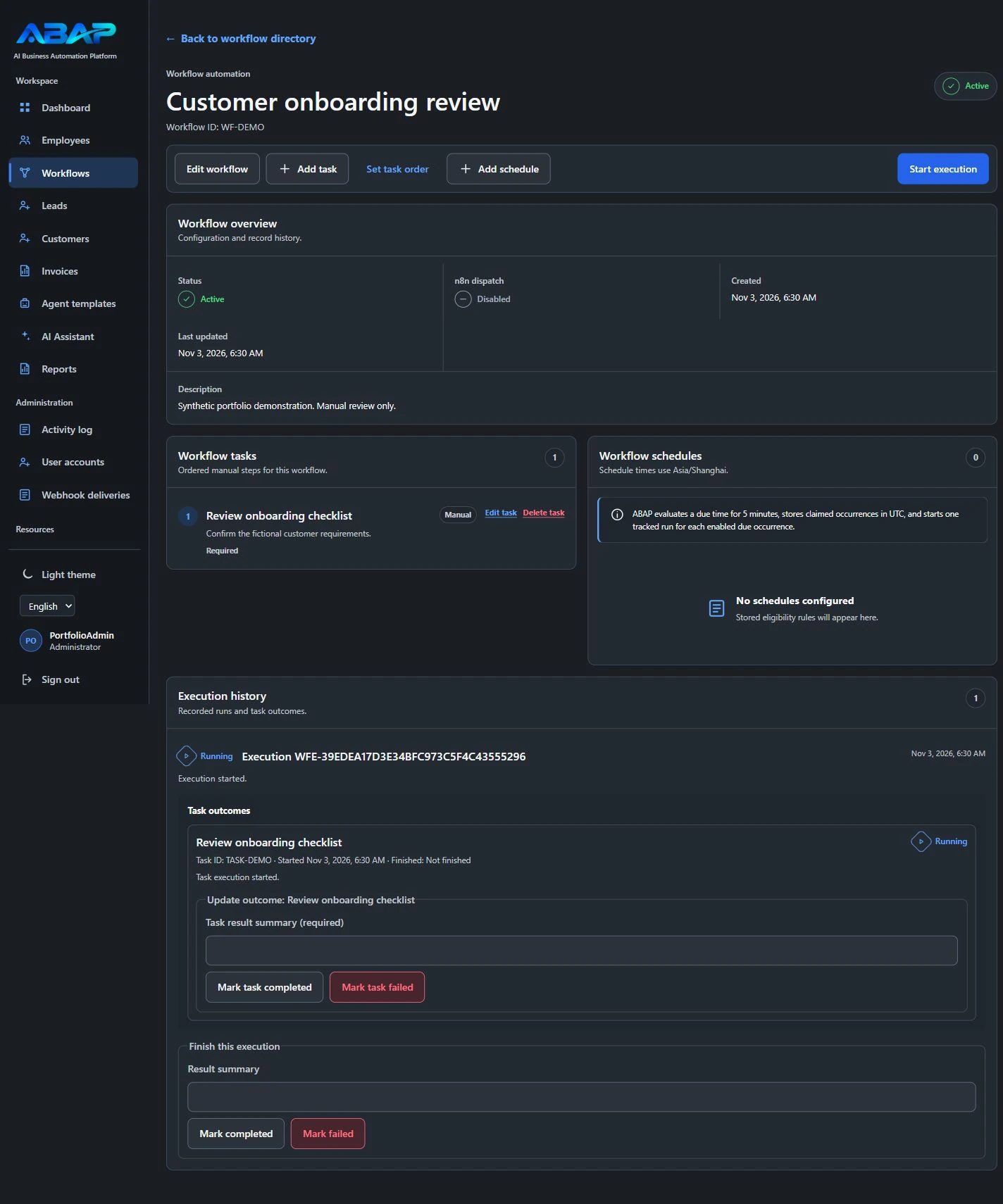
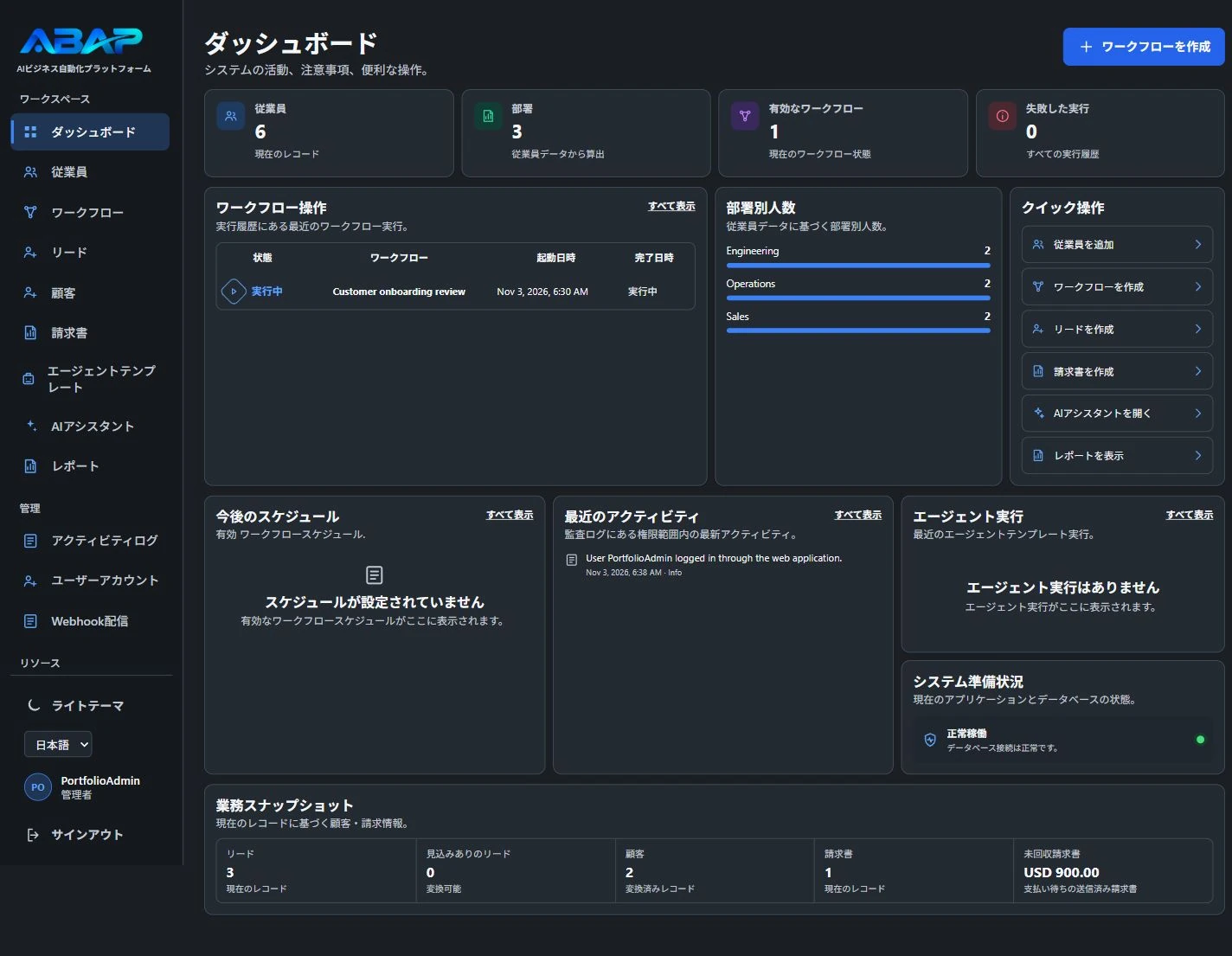
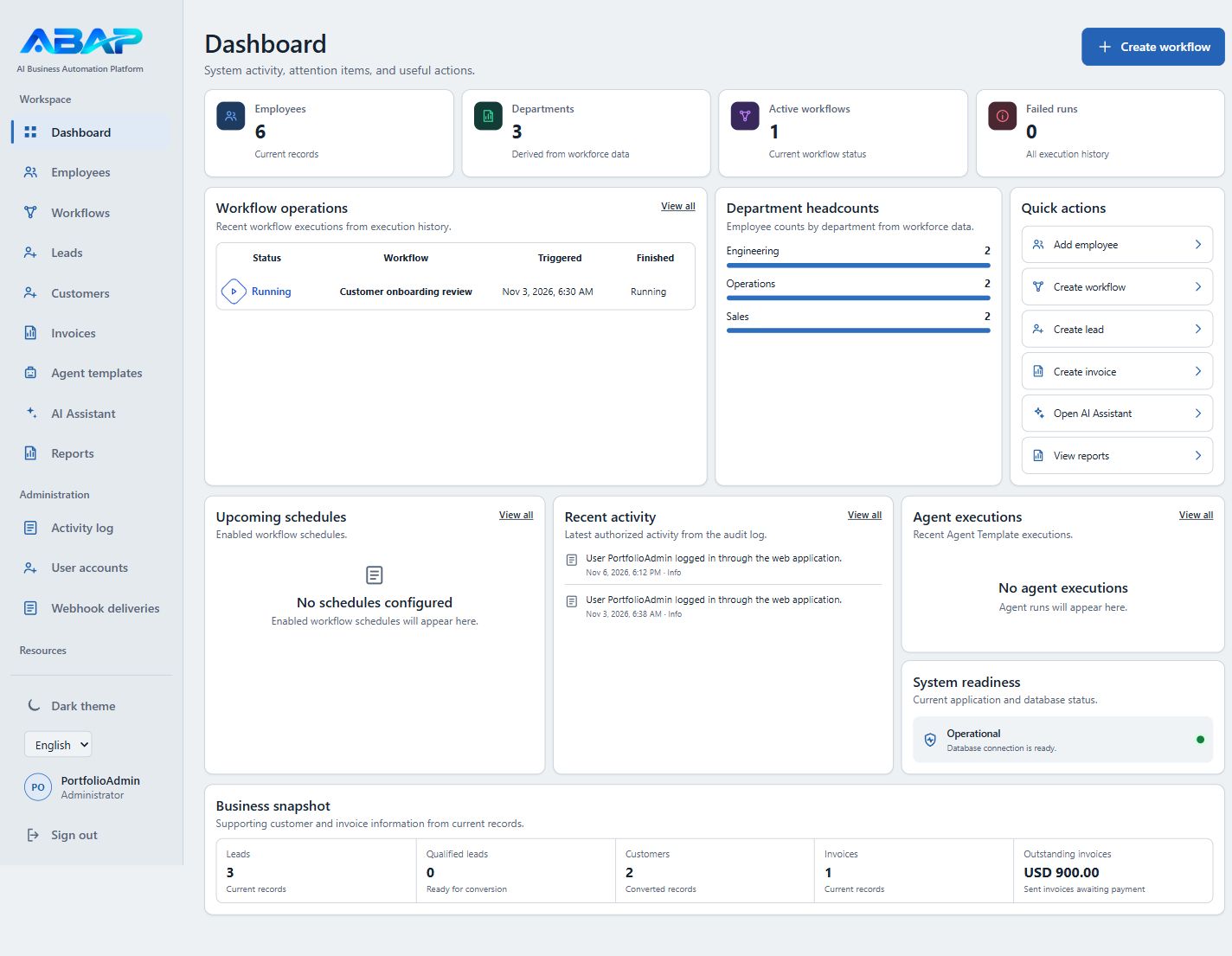
Advanced AI Assistant / recorded public-information demo. Account label anonymized as Demo Portfolio. Generated response text is illustrative, not independent verification of its claims.CRM lead management / Searchable contact and company records with lead stages, using fictional data.Invoice detail / Customer, due date, line items, status controls, and a protected-document link, using synthetic amounts.Workflow tracking / Ordered tasks and a started manual demonstration run; n8n dispatch is disabled in this capture.Japanese dashboard / Localized navigation, activity summaries, and quick actions, with synthetic business records in English.Light-theme dashboard / Isolated demonstration with synthetic records and the fictional PortfolioAdmin account; captured at a 1440 × 1000 browser viewport.Mobile dashboard / Vertically stacked summary cards and quick actions, captured at a 390 × 844 browser viewport with synthetic data. Select to enlarge.
Core application captures: November 3, 2026, using synthetic data in an isolated local environment. AI Assistant: November 5 recorded public-information demo; generated text is illustrative. Light-theme dashboard: November 6 capture from the existing isolated demonstration environment, using synthetic records and the fictional PortfolioAdmin account. Select an image to view it at full size.
More Automation Projects
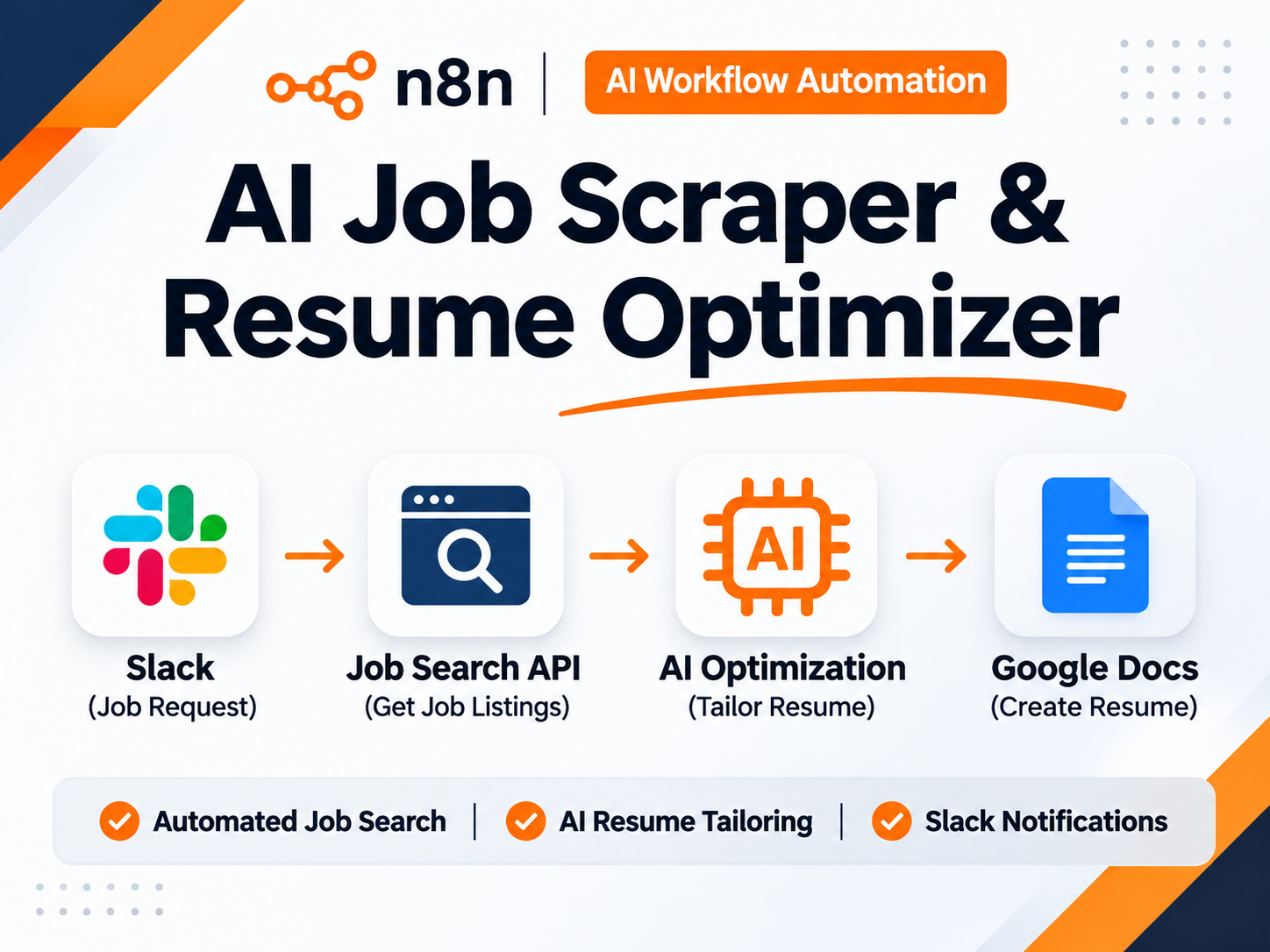
Conceptual overview illustration.
n8n / Slack / Job Search API / AI models / Google Drive / Google Docs / Gmail
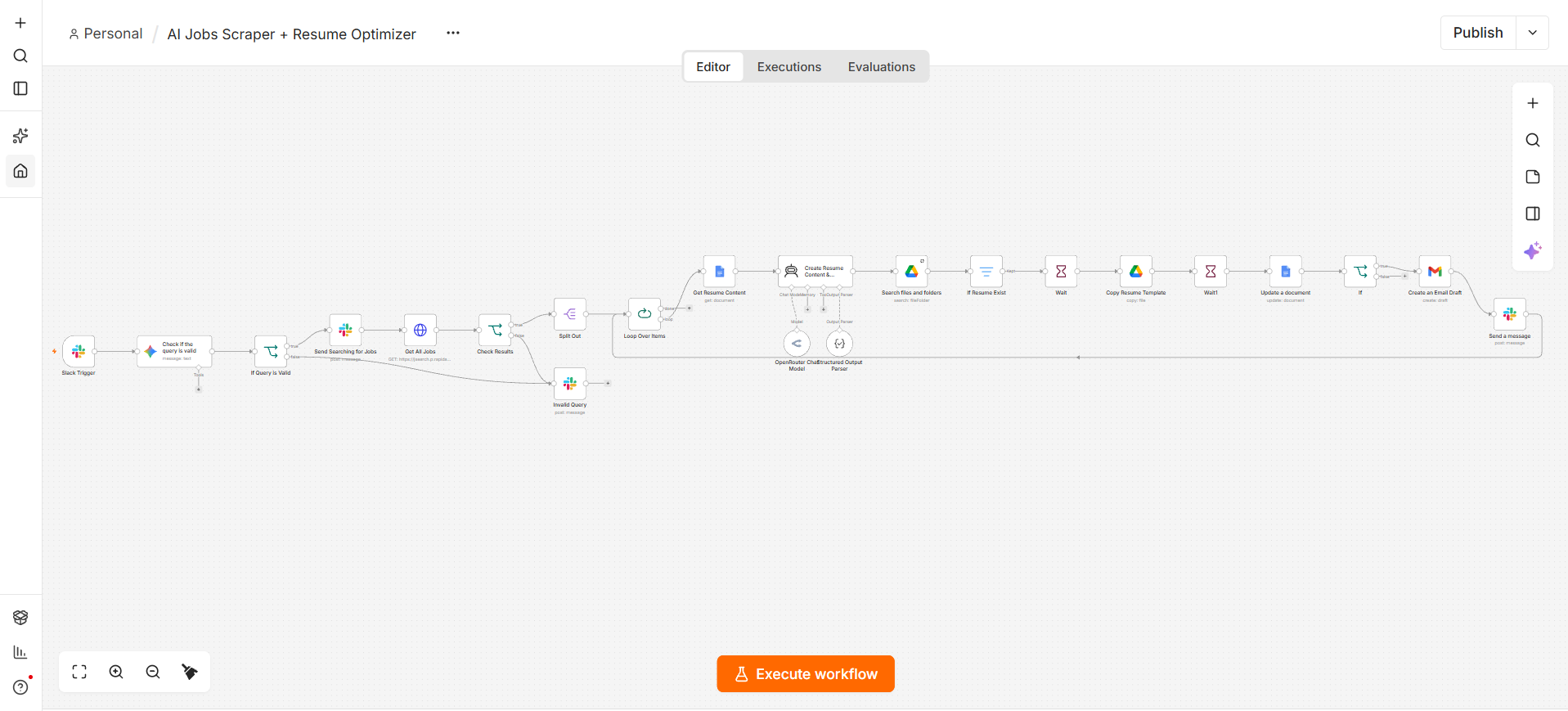
AI Job Search & Resume Workflow
A workflow connecting Slack job requests, job search, AI-assisted resume preparation and document handling.
Workflow implementation
Project Details & Evidence
Problem
Searching job listings and adapting a resume involves repeated checks, document updates and notifications.
Approach
Connect Slack requests to job retrieval, AI-assisted resume preparation, document updates, Gmail drafts and Slack notifications in one workflow.
Workflow
Slack request → validate query → job API → process results → AI resume preparation → Drive/Docs → Gmail draft and Slack notification.
Evidence & scope
The n8n editor demonstrates connected job-search, AI-assisted resume preparation, document and notification steps. Evidence covers workflow design; generated documents and notification delivery remain outside the demonstrated scope.
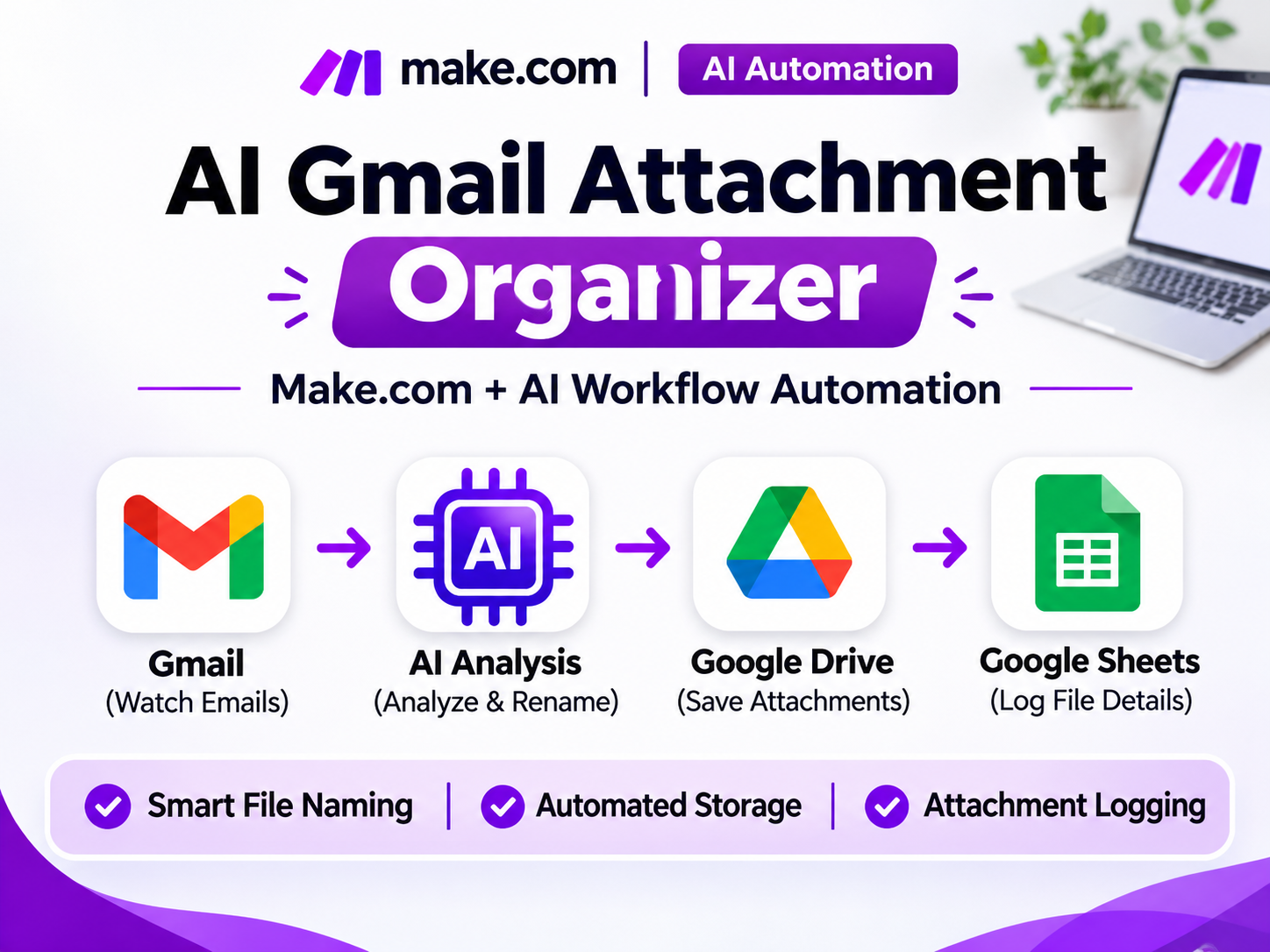
An attachment-processing scenario connecting Gmail, AI-assisted file naming, Drive storage and a Sheets log.
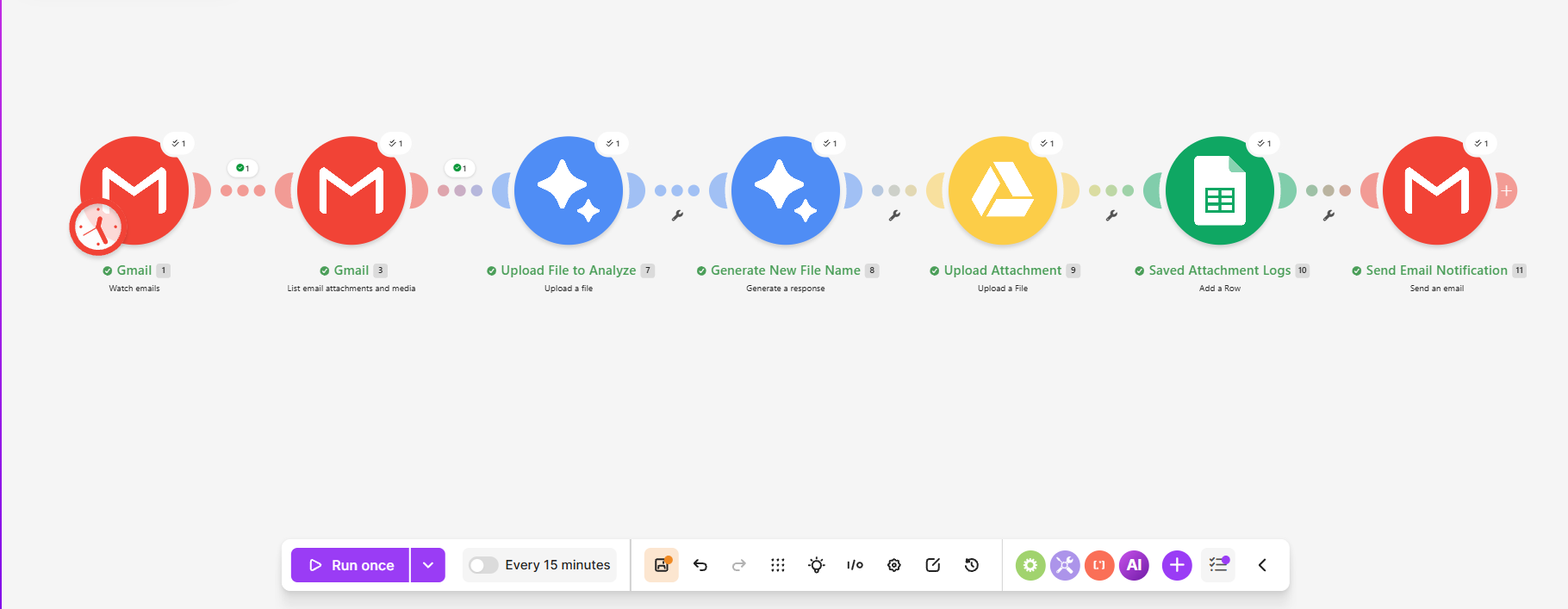
Workflow implementation
Project Details & Evidence
Problem
Manually saving, naming and logging email attachments creates repetitive work.
Approach
Connect Gmail attachments to AI-assisted file naming, Google Drive storage and a Google Sheets log, with a notification step.
Workflow
Watch emails → list attachments → upload for analysis → generate filename → upload to Drive → log in Sheets → email notification.
Evidence & scope
The Make editor shows the attachment-processing sequence and per-module operation indicators, from Gmail intake to file naming, Drive storage and Sheets logging. Scheduling is disabled in this capture; evidence covers the configured scenario rather than confirmed downstream outputs.
Workflow editor — Make scenario — Attachment-processing modules with operation indicators and the disabled schedule control visible.
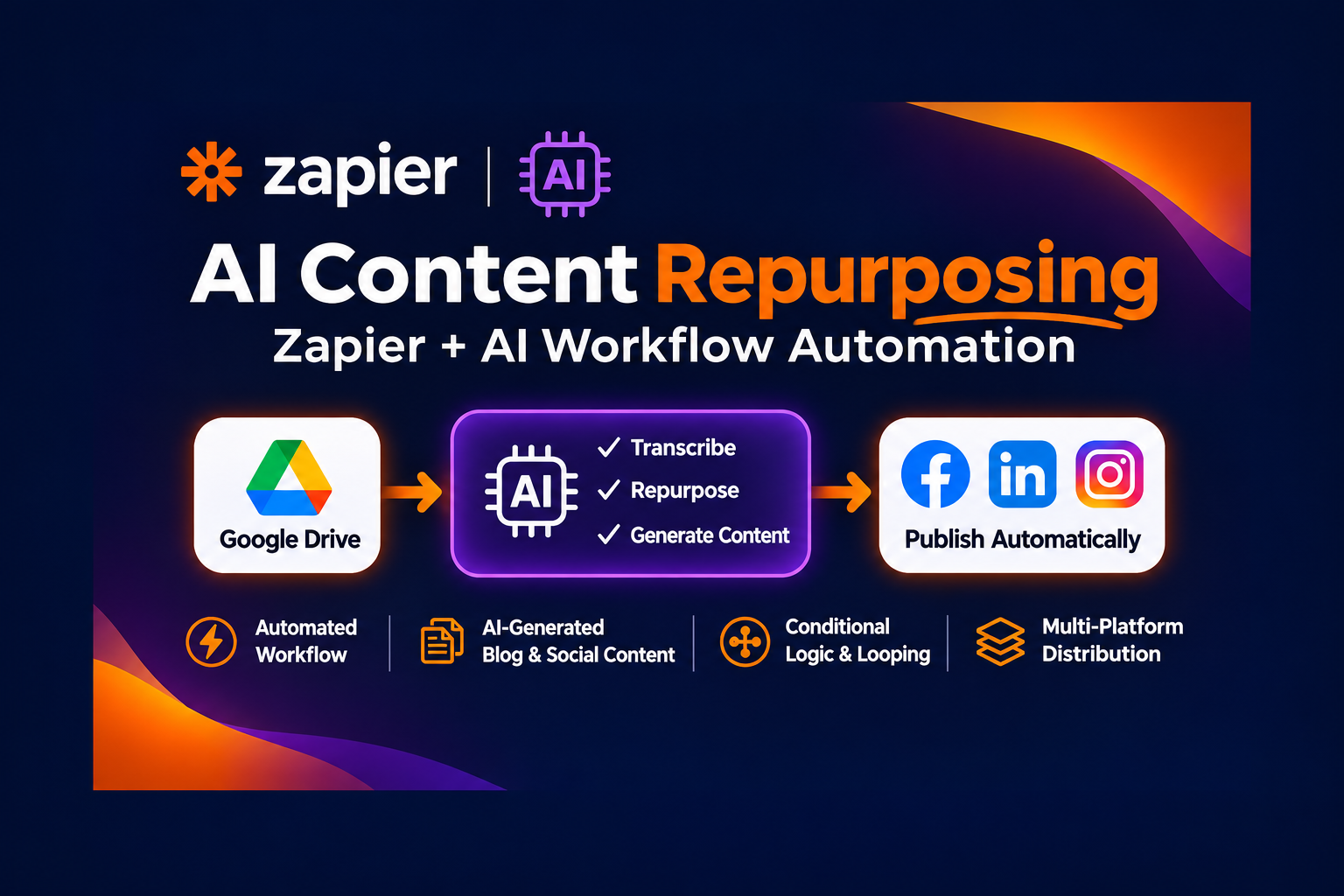
Conceptual overview illustration.
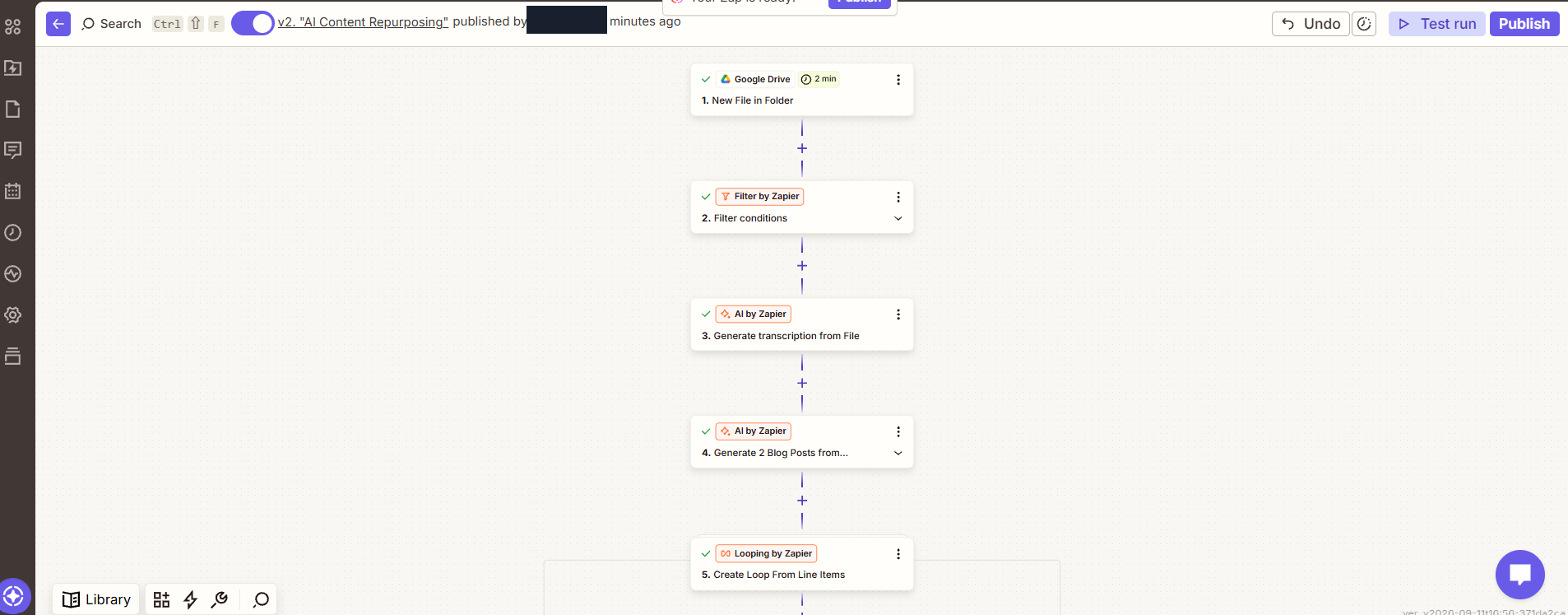
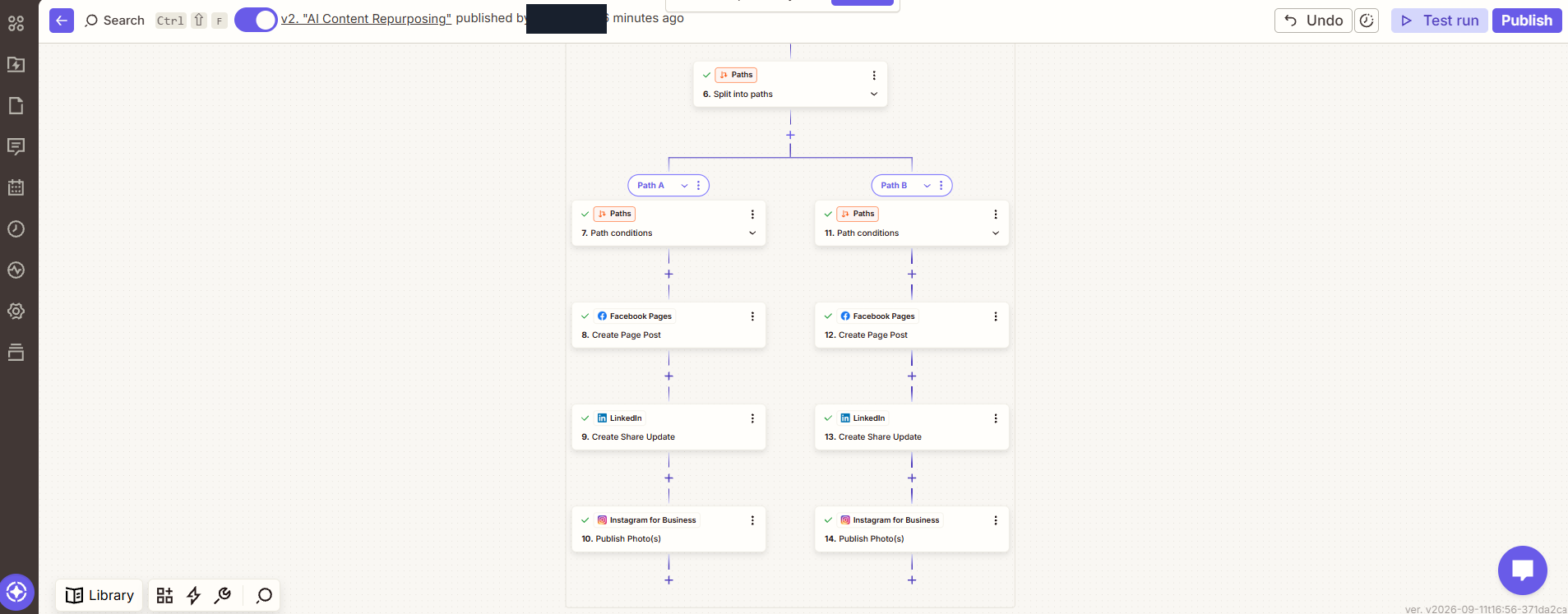
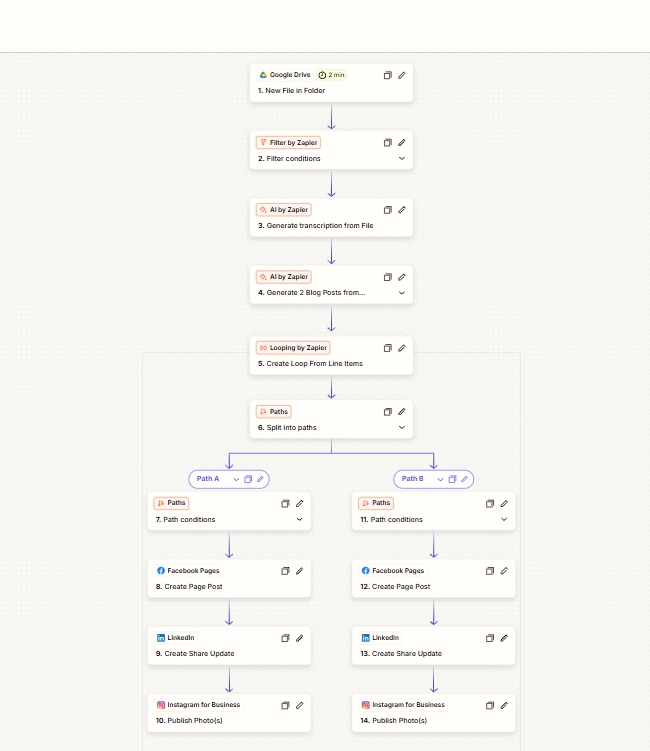
Zapier / Google Drive / AI by Zapier / Looping / Paths / Facebook Pages / LinkedIn / Instagram for Business
AI Content Repurposing Workflow
A Drive-triggered content workflow with AI preparation, conditional social publishing paths and a captured successful-run view.
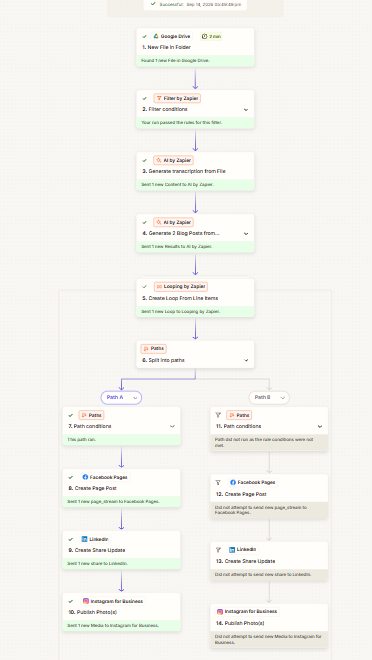
Recorded successful run
Project Details & Evidence
Problem
Adapting source content for different channels involves transcription, content preparation and repeated publishing steps.
Approach
Connect incoming Drive files to AI transcription and content preparation, then route them through conditional social publishing paths.
Workflow
New Drive file → filter → AI transcription/content preparation → loop → conditional paths → configured Facebook, LinkedIn and Instagram actions. The recorded run completed one path and skipped the alternative.
Evidence & scope
Zapier editor views demonstrate file intake, AI content preparation and conditional social publishing paths. A recorded successful run shows one branch completed and the alternative skipped. Evidence is limited to that recorded path; public post contents and business outcomes are outside this case study.
Workflow editor — Zapier workflow — File intake, filtering, AI preparation and loop configuration.Workflow editor — Conditional paths — Configured Facebook Pages, LinkedIn and Instagram actions.Workflow editor — Full workflow design — Upstream processing and conditional publishing paths.Execution evidence — Recorded successful run — One branch completed; the alternative was skipped.
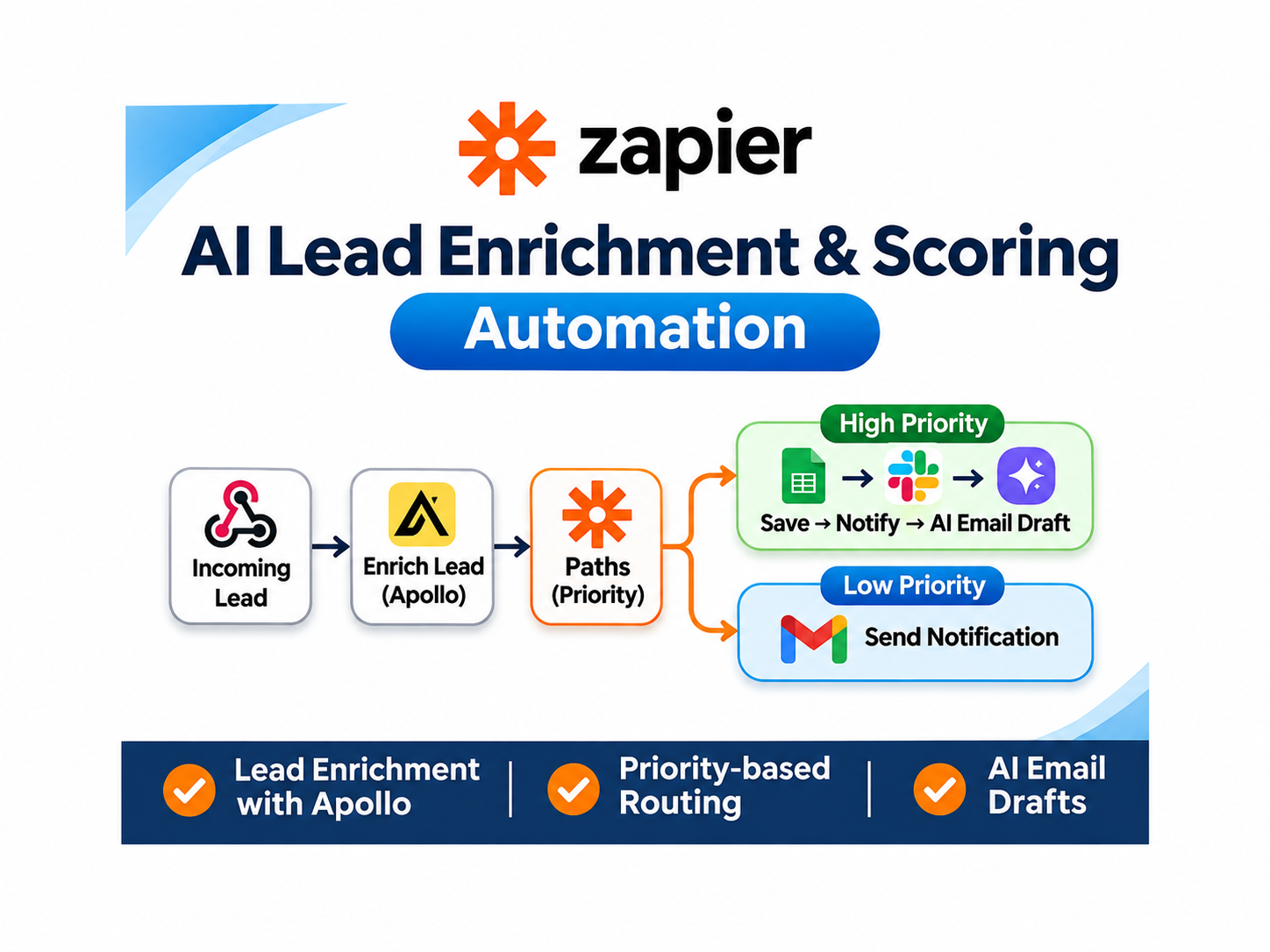
Conceptual overview illustration.
Zapier / Webhooks / Formatter / Apollo / Paths / Google Sheets / Slack / AI by Zapier / Gmail
AI Lead Enrichment & Priority Routing
A lead-processing workflow connecting Apollo enrichment with priority-based routing, records, notifications and an AI draft step.
Workflow implementation
Project Details & Evidence
Problem
Incoming leads need context and routing before the next follow-up step can be organized.
Approach
Combine incoming lead data with Apollo enrichment, then use priority-based paths for records, notifications and AI-assisted draft preparation.
Workflow
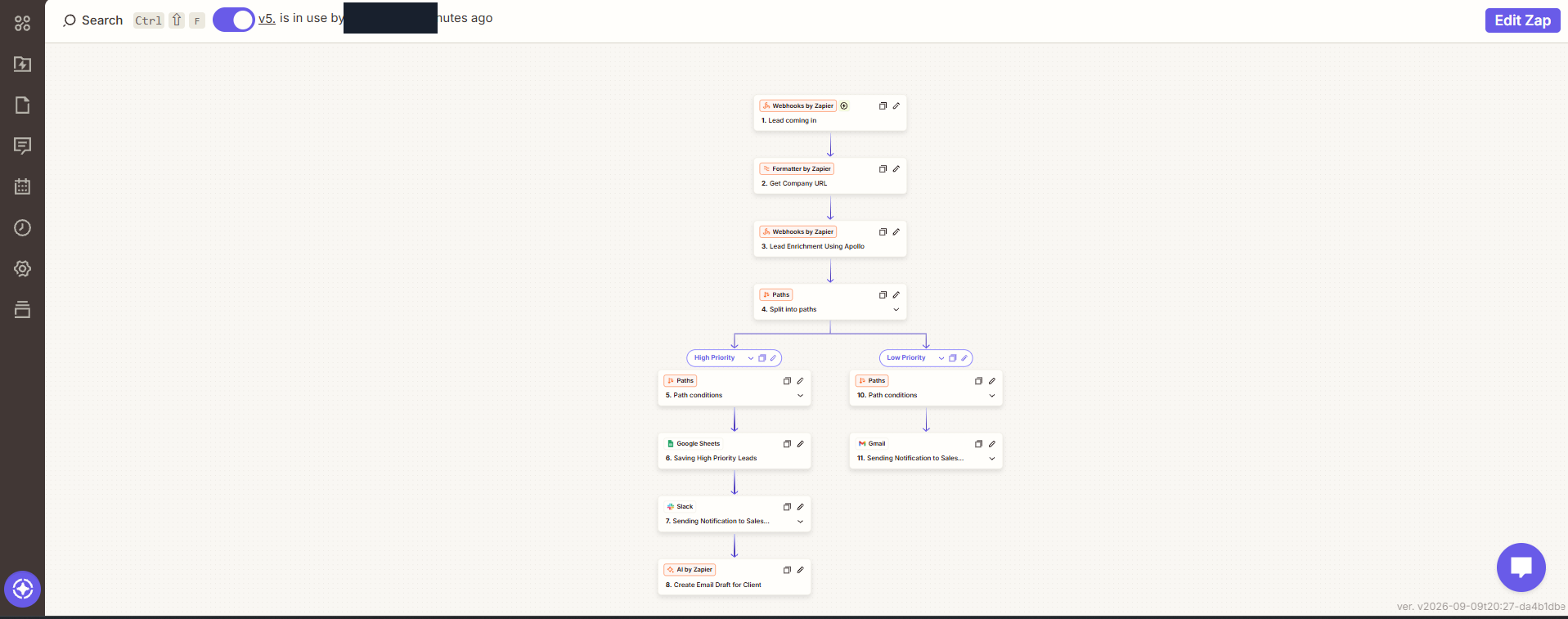
Incoming lead → format company URL → enrichment → priority paths → record/notify/draft actions as configured.
Evidence & scope
The Zapier editor shows Apollo enrichment, priority-based paths and configured record, notification and AI-draft actions, with an in-use version visible. Evidence covers the workflow configuration; numeric lead scoring, enrichment accuracy and completed outputs are outside the demonstrated scope.
Workflow editor — Zapier workflow editor — Apollo enrichment and priority-based follow-up routing.
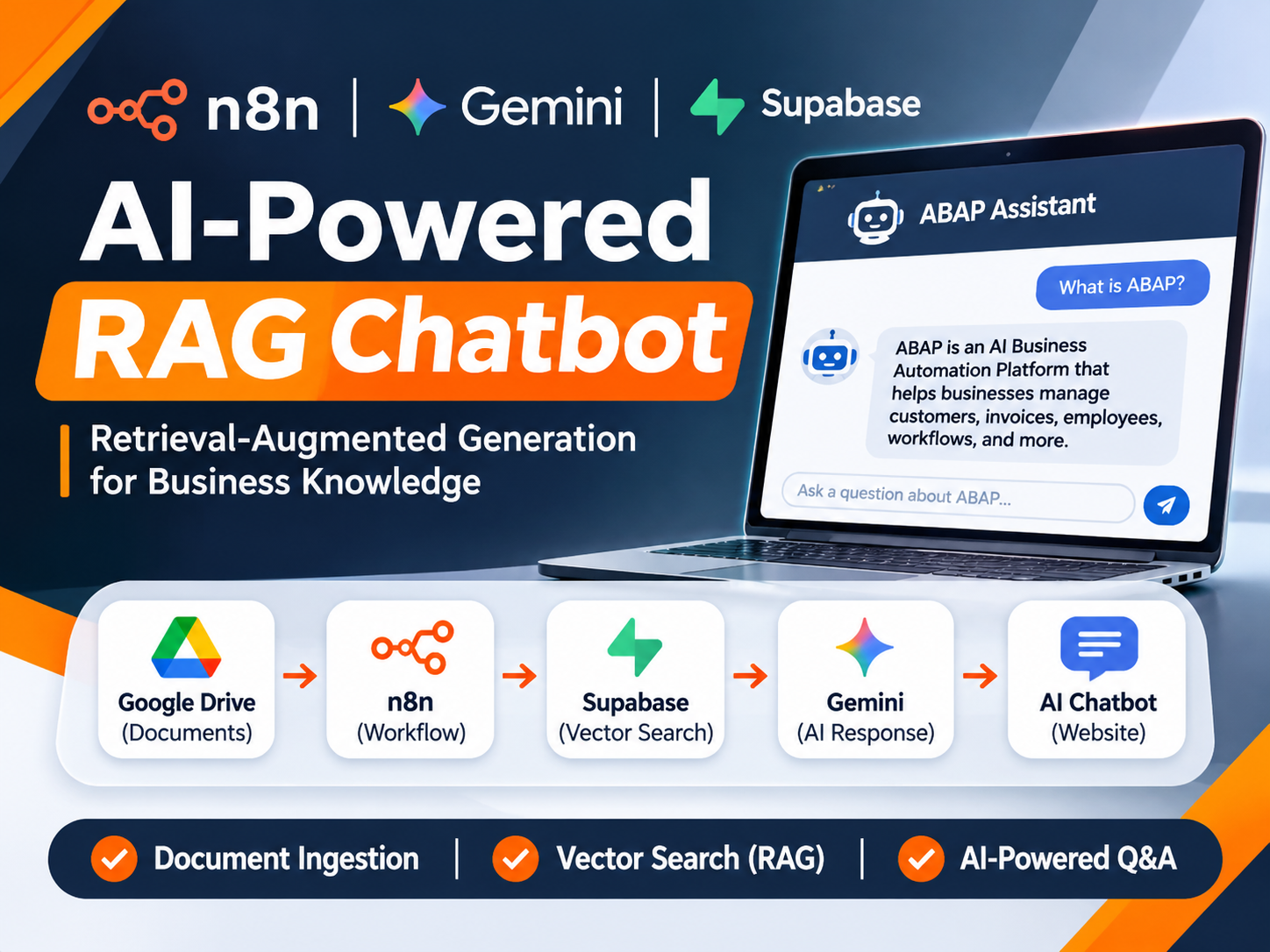
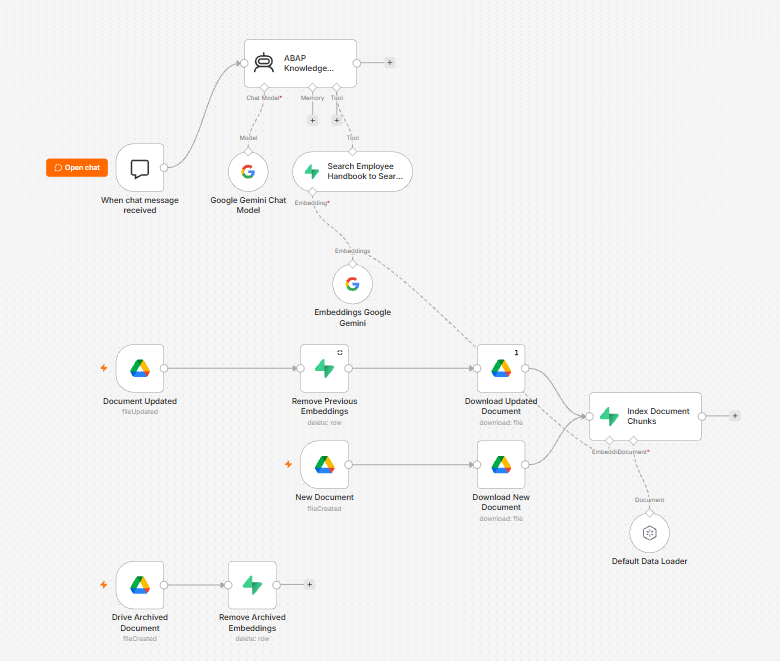
A workflow prototype combining document ingestion, vector retrieval and an AI chat-response path.
Workflow implementation
Project Details & Evidence
Problem
A document assistant needs a way to index source material and retrieve relevant passages for a response.
Approach
Prototype document ingestion and indexing from Drive, Supabase retrieval and Gemini-assisted chat responses in n8n.
Workflow
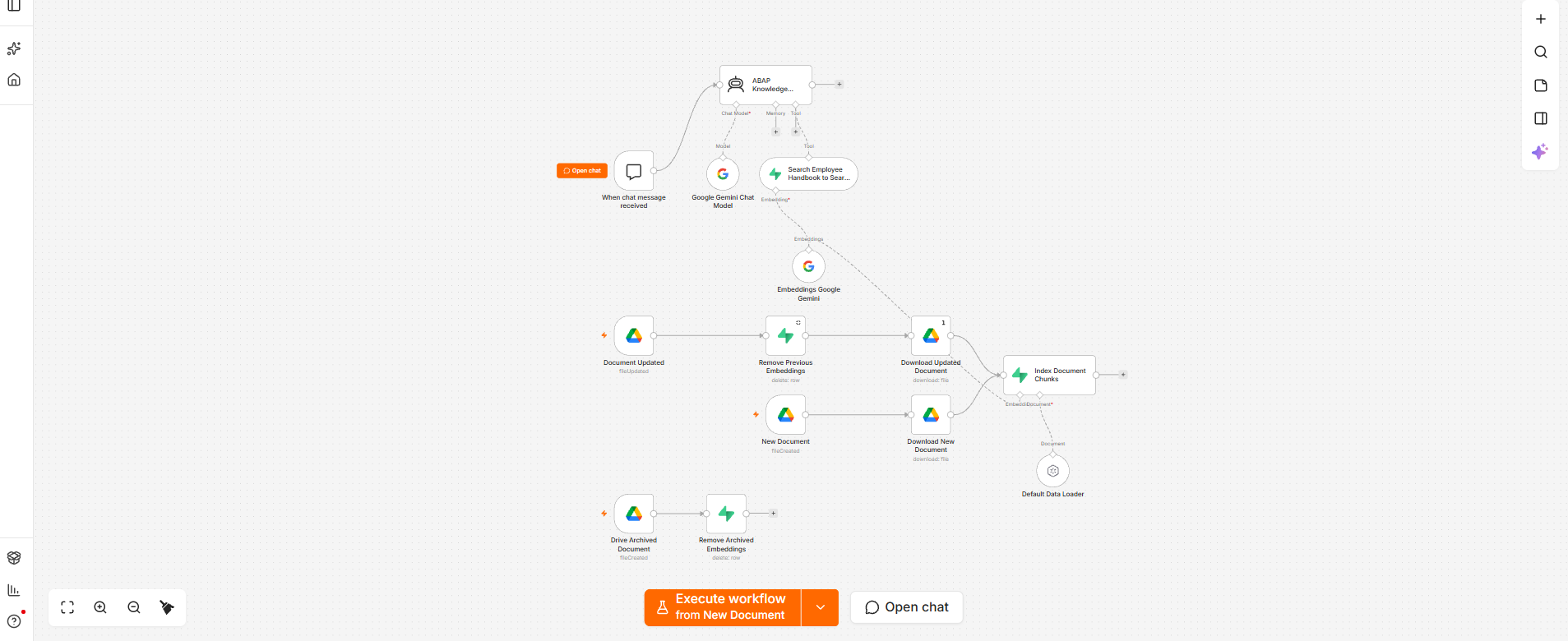
Document create/update/archive paths → loading and index maintenance; chat trigger → retrieval tool and Gemini model → configured response path.
Evidence & scope
This n8n prototype demonstrates document-ingestion and indexing paths, Supabase retrieval and a Gemini-assisted response configuration. It is separate from the deployed ABAP AI Assistant. Evidence covers prototype architecture, rather than completed indexing, evaluated chat answers or live business-record access.
Workflow editor — n8n prototype editor — Document indexing and retrieval-assisted chat paths.Workflow editor — Prototype overview — An alternate view of the same document and chat architecture.
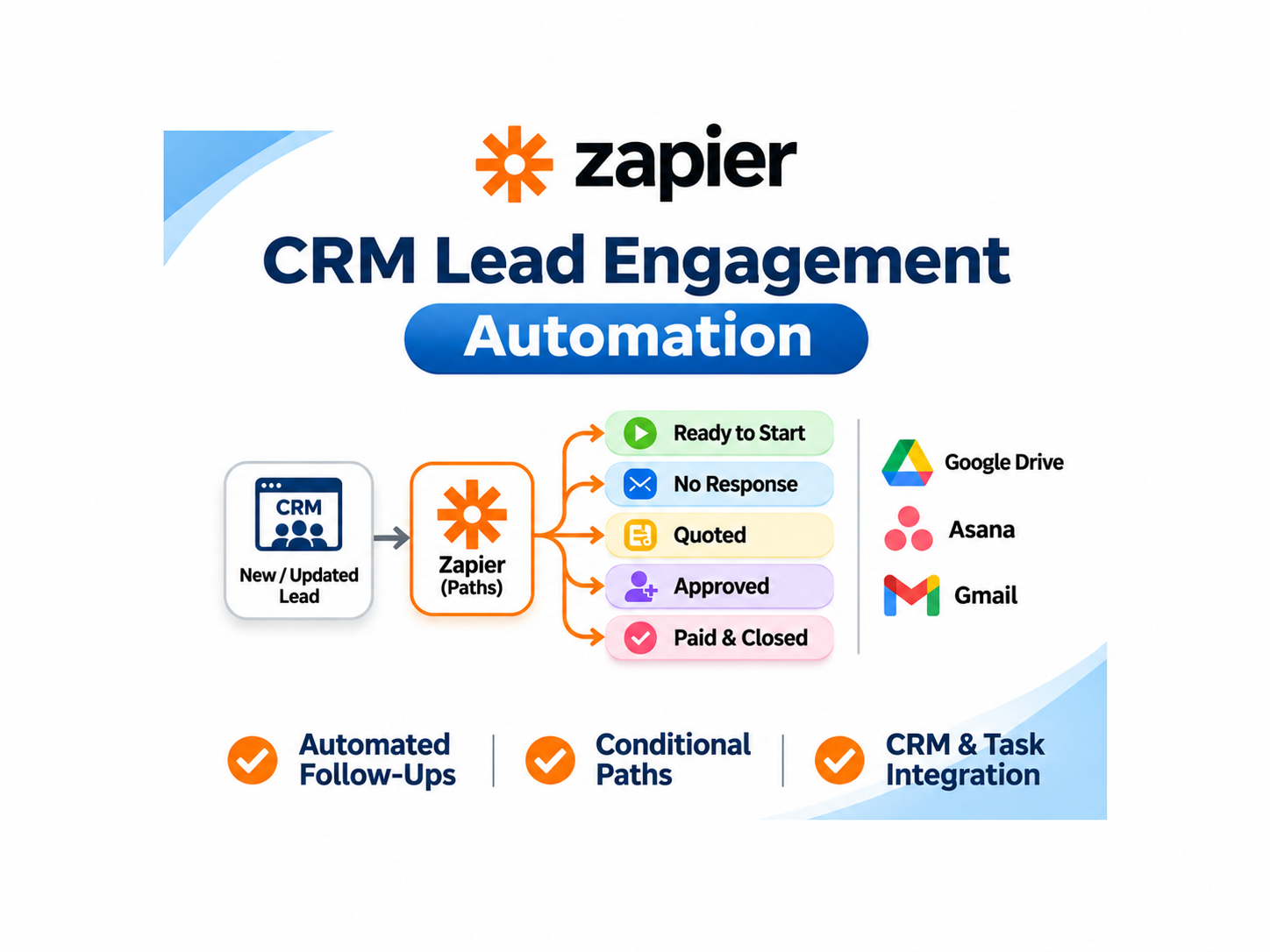
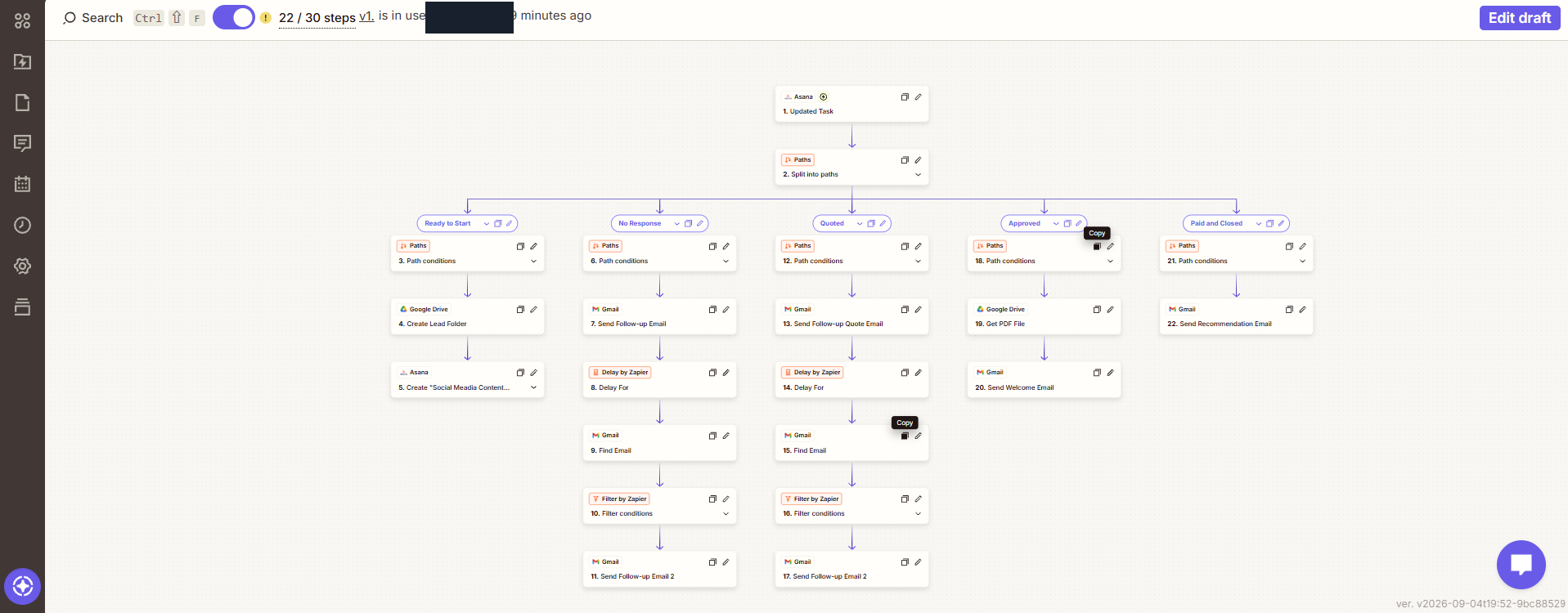
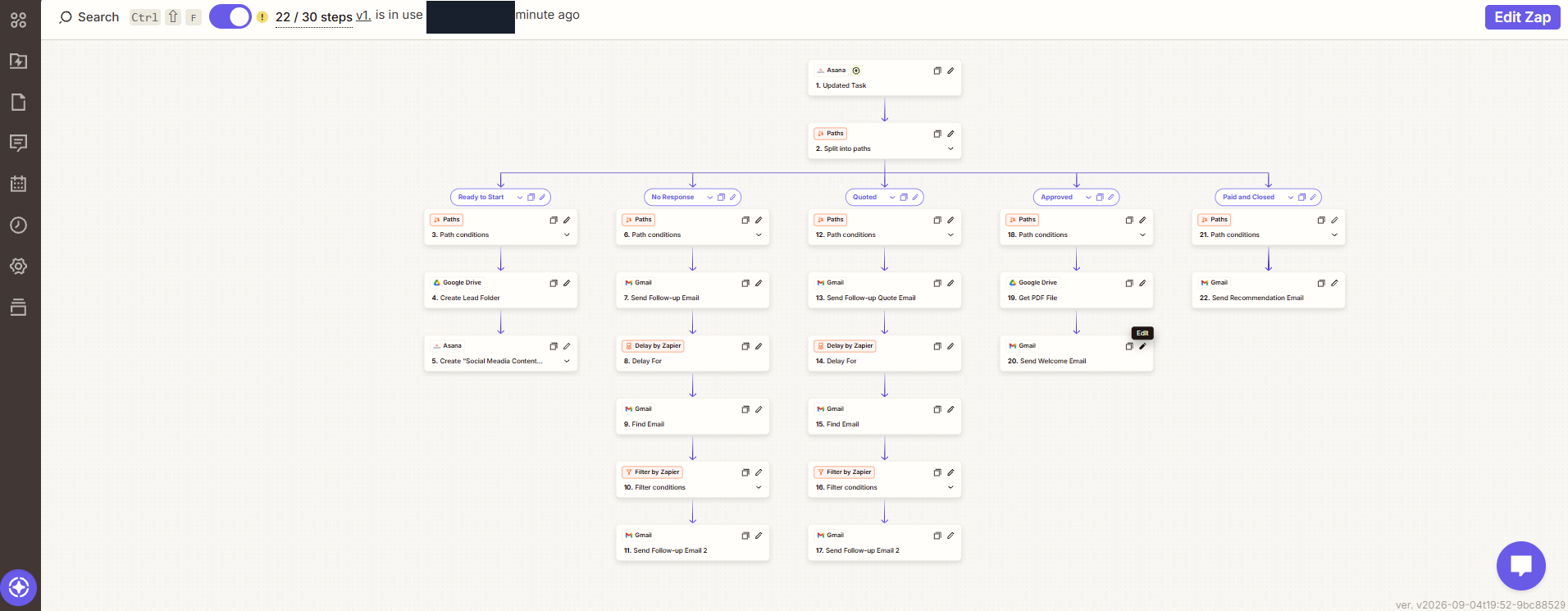
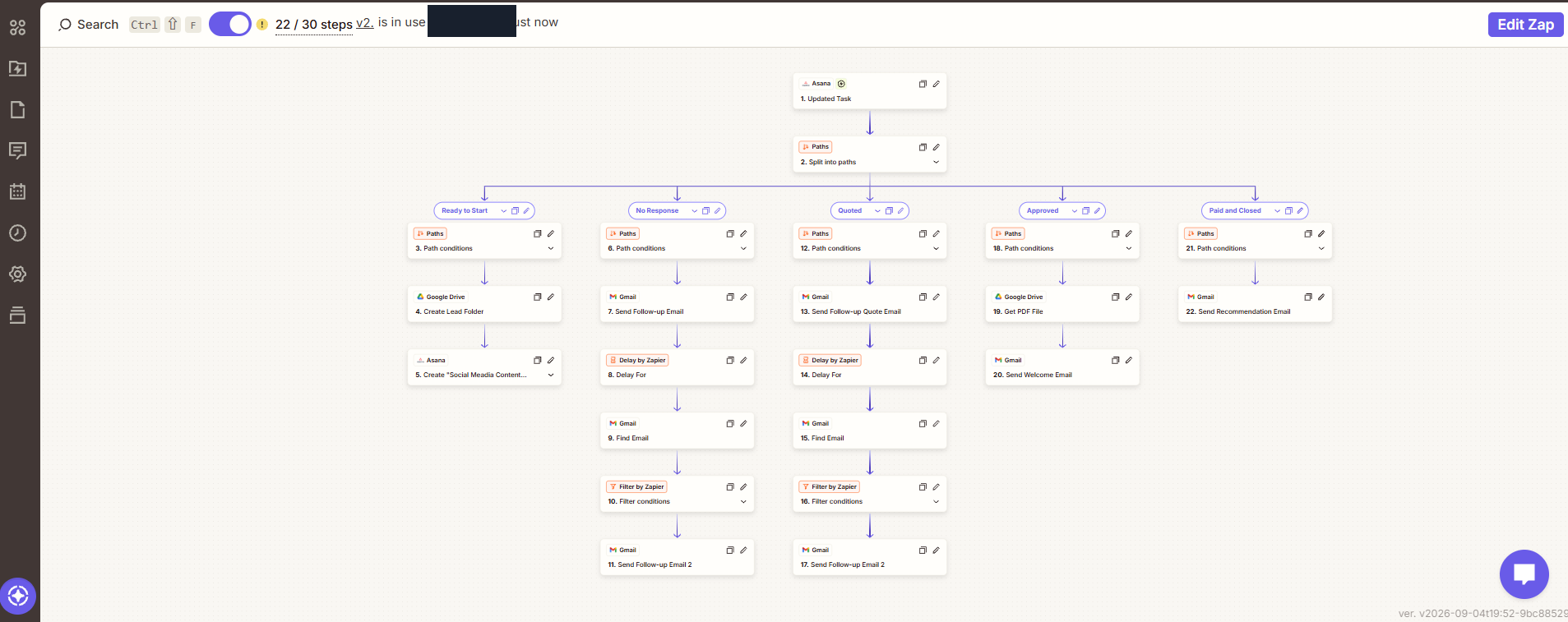
An Asana-triggered workflow organizing follow-up actions by lead status, with Drive and Gmail steps.
Workflow implementation
Project Details & Evidence
Problem
Lead follow-up requires different actions as a conversation moves from preparation through quoting and approval.
Approach
Use Asana task status to organize conditional folder and task creation, follow-up email actions, delays and checks.
Workflow
Asana task update → status paths → configured Drive/Asana/Gmail actions, with delays and filters in selected paths.
Evidence & scope
The Zapier editor views show status-based CRM follow-up paths using Asana, Drive, Gmail, delays and filters. Original warning/step indicators remain visible and their cause is undiagnosed. Evidence covers configuration; paid/closed is a route label, not a verified payment or completed client outcome.
Workflow editor — Version 1 — Status-based follow-up paths with the original warning/step indicator visible.Workflow editor — Version 1 detail — An alternate view of the same follow-up configuration.Workflow editor — Version 2 — Workflow configuration with the original warning/step indicator visible.
Additional training: n8n, Zapier, and Make. Social marketing and Google Docs template automation are areas of practice; detailed case studies will be published when supporting evidence is available.
02 / HOW I CAN HELP
Less repetitive work. More room to grow.
Practical implementation, shaped around how your business actually works.
01
AI & workflow automation
n8n, Make, and Zapier workflows for repeatable processes, CRM handoffs, and connected business tools.
↗02
APIs & integrations
Connect systems through APIs and webhooks, with clear validation and traceable execution.
↗03
AI-assisted application development
Practical Python and FastAPI applications, AI integrations, PostgreSQL, and Docker-based delivery.
↗04
Japanese–English bilingual communication
Support Japanese–English communication, translation, project coordination, requirements clarification and clear information sharing.
↗
03 / THE PERSON BEHIND THE BUILD
Technology connects systems. Communication connects people.
英語 ↔ 日本語
I’m Dennis Basadre, a Japanese–English bilingual professional focused on practical AI automation and AI-assisted application development.
My background includes working in Japan and Japanese bilingual IT / Bridge SE experience, supported by JLPT N3. I draw on that experience to clarify requirements, coordinate projects and share information between Japanese- and English-speaking teams.
I use AI-assisted development workflows to build and test applications with Python, FastAPI, PostgreSQL, Docker, APIs, and webhooks. ABAP documents this approach through a deployed system and its engineering evidence.
JLPT N3Japanese qualification
n8n · Zapier · MakeAutomation training
04 / LET’S CONNECT
Let's Work Together
Have a project in mind? Tell me what you need help with, and I'll get back to you.
The form below is provided in English. You can also write your answers in Japanese and choose Japanese as your preferred communication language.
How your inquiry data is handled +
Youform collects the name, email address and project description you submit, plus any optional tools, improvement goals, start time and communication-language preference. I use these details to assess your request, reply and follow up.
Youform processes and stores responses and sends inquiry notifications. It and its service providers may process technical information, including IP address and browser information, for service operation and security. Processing may take place outside your country.
Inquiry records may be held in Youform and my email mailbox for responding and necessary follow-up. Retention depends on those purposes, deletion decisions and provider policies/settings; no fixed retention period or automatic deletion deadline is promised. Deleting a visible response may not immediately erase retained backups. You can request access or deletion through the Upwork or LinkedIn links above.